ACCOUNT DIRECTORY

Every business account, in one place — never a password.

A shared, categorised directory of where your team's accounts actually live. No password field, ever — this tool records the site and username; your password manager still does the rest.

live preview
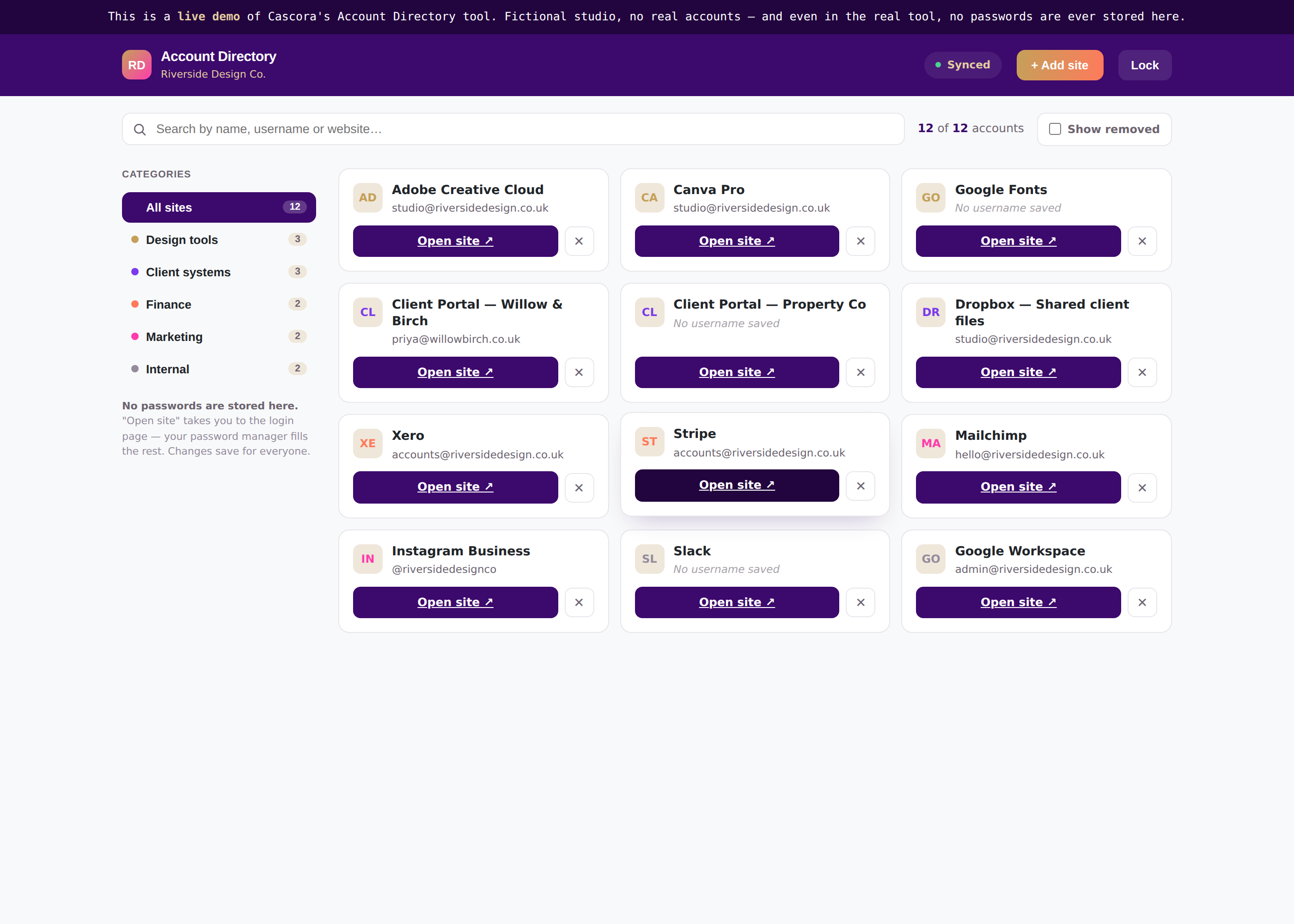
Account Directory preview
THE PROBLEM IT SOLVES

"Which login was that again?" shouldn't cost anyone an hour.

"Nobody remembers which account belongs to which client."

Without a shared record, finding the right login means messaging around and hoping someone remembers.

"We don't want passwords floating around in a spreadsheet."

Ad-hoc lists in shared docs are a genuine security risk, not just an inconvenience.

"Old accounts never get cleaned up."

Accounts for long-gone clients or retired tools stay live because nobody owns tidying the list.

FEATURES & BENEFITS

No passwords stored. Ever. That is the point.

Categorised, searchable directory

→Every account grouped and instantly searchable by name, site or username — so nobody hunts for a login again.

Never stores a password

→Only the site and username are recorded; your existing password manager still fills the rest — so security stays where it belongs.

Soft delete, not gone forever

→Removed accounts are hidden, not deleted, and can be restored in a click — so tidying up is never risky.

Passphrase-gated access

→A simple shared passphrase keeps the directory to staff only — appropriate friction, not enterprise overkill.

OUTCOMES

What actually changes once it is live.

No more "which login was that" messages

Zero passwords stored, zero extra risk

Old accounts get tidied, not forgotten

One shared source, not five spreadsheets

Try it yourself

Search, add, and restore a real account.

Unlock with the demo passphrase, filter by category, add a new site, remove one and bring it back. Fictional studio, fictional accounts.

Try the live demo →
Account Directory live demo
WHAT IT CONNECTS TO

Deliberately simple — that is a feature, not a gap.

Your password manager

LastPass, 1Password or similar still handles the actual passwords.

Staff Hub

Can surface as a linked tool from the team dashboard.

Single sign-on

The passphrase gate can be swapped for your existing SSO if preferred.

Nothing else

No integrations needed — that is intentional for a tool this focused.

Exact connections are configured per client during the mapping stage — this shows the kind of systems we typically connect to, not a fixed list.

DESIGN & BUILD TIMELINE

One of the fastest tools in the suite to stand up.

01
Typically 1–2 days

Map it

Your categories and starting list of accounts, captured quickly.

02
Typically 3–5 days

Build it

Configured to your branding, populated with your starting accounts.

03
Ongoing

Run it

Live, supported, and easy for the team to keep current themselves.

Timeframes are indicative and will be confirmed at the mapping stage — actual build time depends on catalogue size and how many systems it connects to.

Keep the directory itself under control.Approvals & Sign-off can route who is allowed to add or remove accounts, so it never becomes a free-for-all.
Approvals & Sign-off — coming soon Client Portal — coming soon

Ready to see your plan?

The mapping conversation is free. You'll walk away with a clear picture of what this would look like for your business.