BUSINESS MANAGEMENT PORTAL
Finance, operations, marketing and sales — one screen.
The figures that actually run the business, pulled into one dashboard instead of five spreadsheets and a monthly meeting to reconcile them all.
live preview
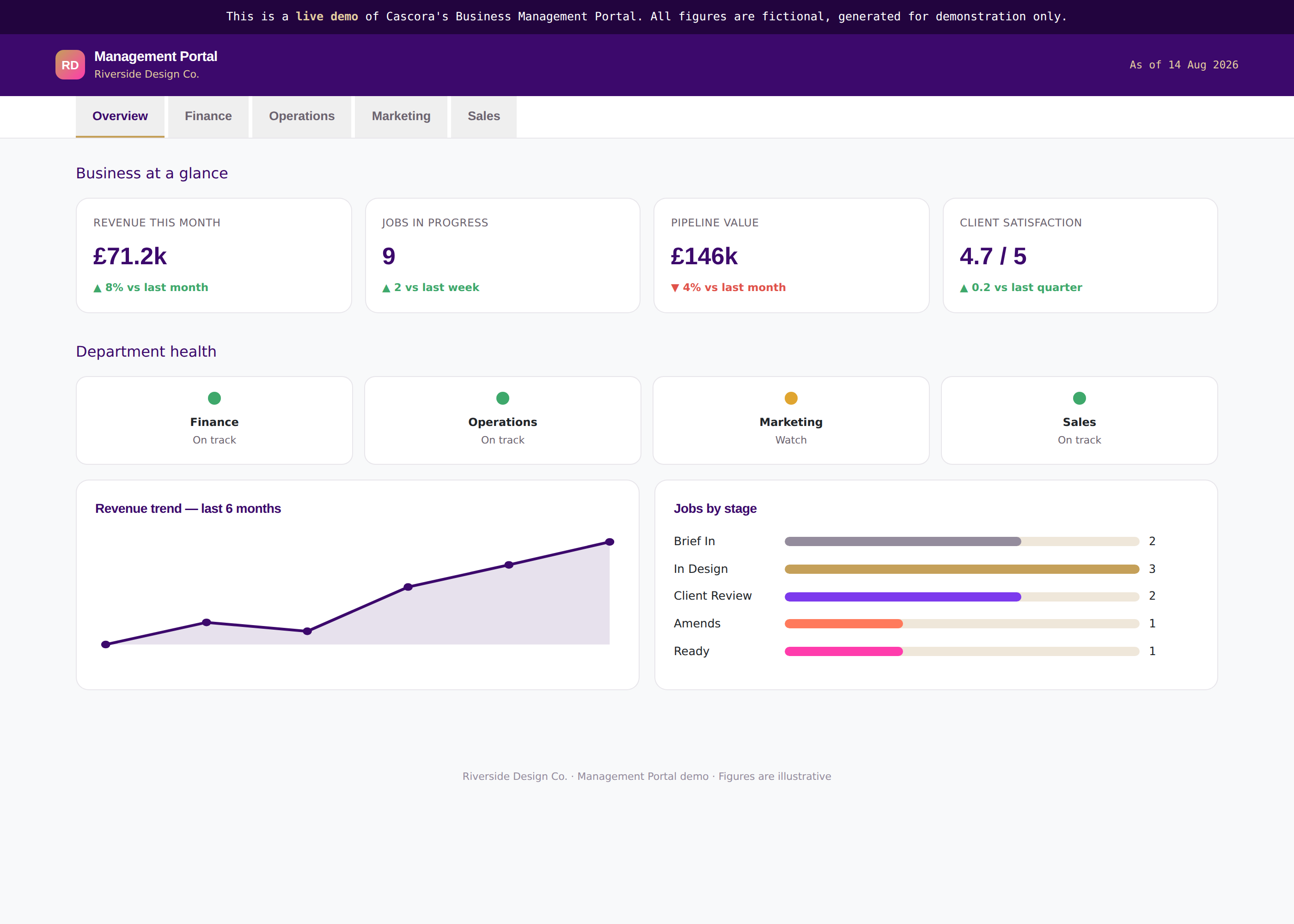
The figures that actually run the business, pulled into one dashboard instead of five spreadsheets and a monthly meeting to reconcile them all.
Manually compiled reports mean decisions get made on data that's already gone stale.
Without one shared source of truth, every department brings its own version of "how we're doing."
Someone's still stitching numbers together by hand every single month.
→Top-line KPIs and department health in one screen — so leadership starts every conversation from the same page.
→Each department gets its own dashboard, tuned to what actually matters to it — not a generic report everyone half-reads.
→Revenue, engagement and pipeline shown over time — so it's obvious whether things are improving, not just where they stand today.
→Figures sourced from your existing systems — so nobody is copying numbers by hand every month.
One shared version of the numbers
Decisions made on today’s data, not last month’s
Hours saved building the monthly report
Every department speaks the same language
Overview, Finance, Operations, Marketing, Sales — click through each and see the gauges, trends and tables update. Fictional studio, illustrative figures.
Try the live demo →Revenue, margin and cash position pulled straight from your books.
Operations figures — turnaround, capacity — feed straight in.
Leads, campaigns and engagement pulled from where they run.
Pipeline value and deals shown live, not from a monthly export.
Exact connections are configured per client during the mapping stage — this shows the kind of systems we typically connect to, not a fixed list.
Which figures matter to which department, and where each one lives today.
Each dashboard configured and connected to its real data sources.
Live, supported, and extended as new questions come up.
Timeframes are indicative and will be confirmed at the mapping stage — actual build time depends on catalogue size and how many systems it connects to.
The mapping conversation is free. You'll walk away with a clear picture of what this would look like for your business.